Component concepts & pipeline run reuse behavior
In this article, you will learn how component concepts will affect pipeline run reuse behavior and how to diagnostic cases where a component run did not reuse as expected compare to your previous run. The benefits of component reuse are optimize perf of your pipelines and save compute cost.
Component run reuse
Azure ML has ability to reuse previous component run’s results when same component with same inputs are submitted again.
If component reuse happens, your component will be displayed with a little “Recycle” icon on it like the screenshot below.

You can check outputs/logs/metrics of the current run, and it shows same result as previous reused run.
Pipeline run reuse
To reuse a pipeline, specify dsl.pipeline with is_deterministic=True.
Example:
from azure.ml.component import dsl

@dsl.pipeline(is_deterministic=True)
def pipeline_func():
    # your pipeline function logic
    ...
Pipeline run reuse related component concepts
To make a component run reuse previous run result, the current component run need to have same following configs compared to previous component run.
Component
Component code
Component environment
Component inputs
Component run settings
Component output settings
You can find those fields in component run UX right panel or in properties JSON(Switch to the Details tab, and you will find a JSON file under See all properties in the Properties section).
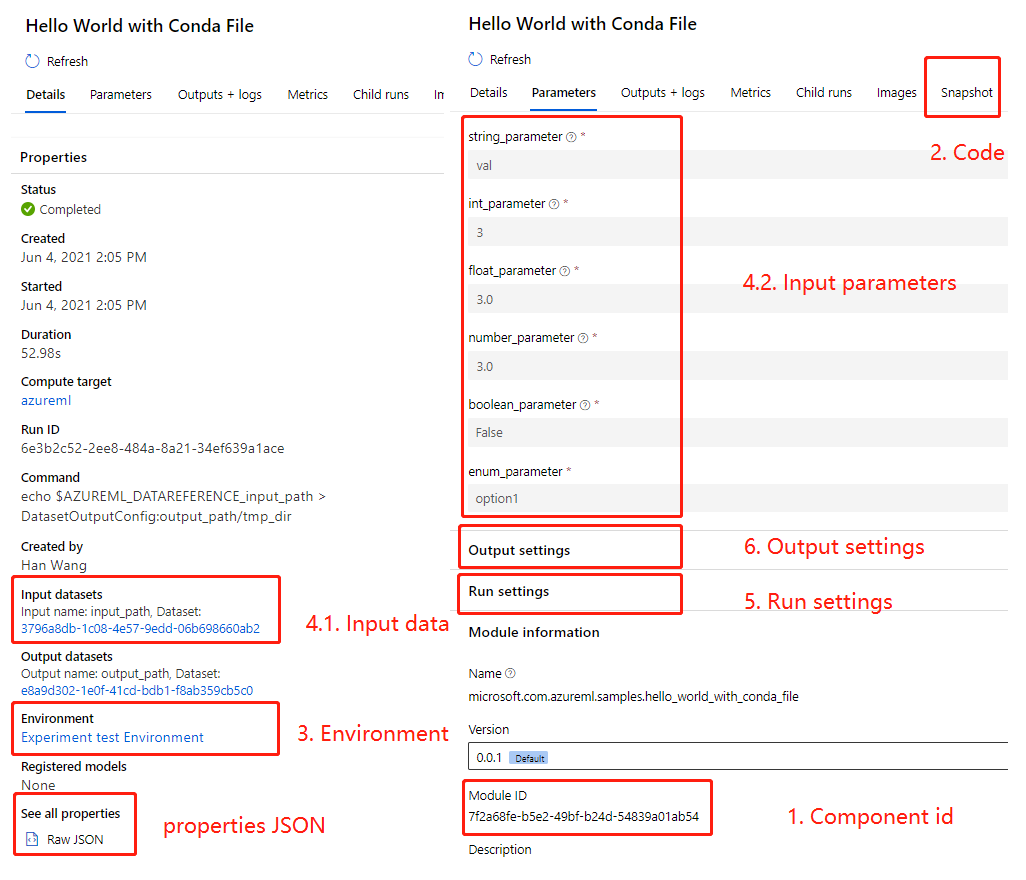
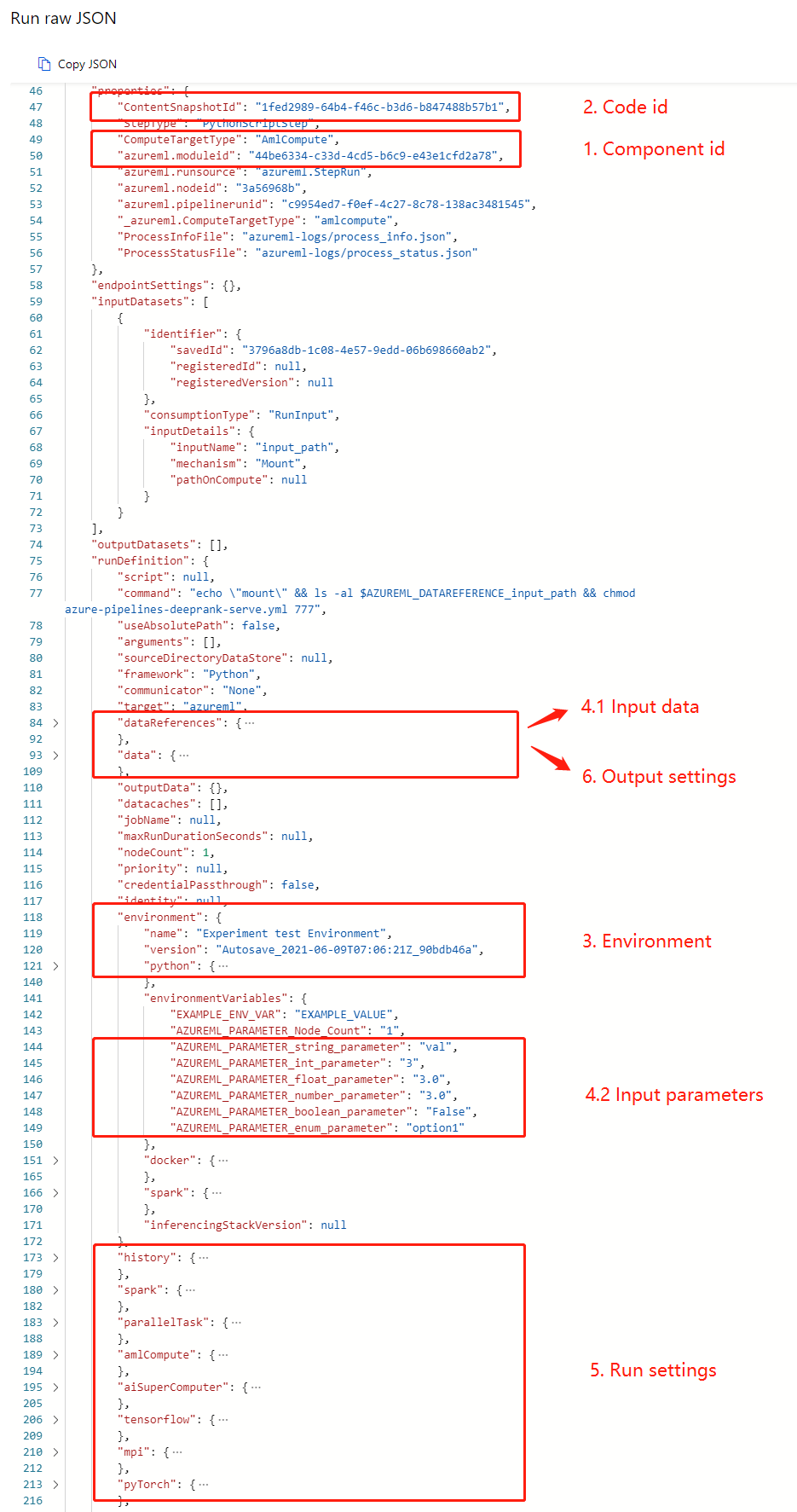
We will discuss how each above fields will affect component run reuse in the following sections.
Component: to make one component run reuse another, components in these two runs should have the same component name and version. Each version of a component has a unique identifier, you can check if two component is the same by comparing it.
Note in following scenarios, component reuse won’t work:
For anonymous component, component name is a GUID generated based on component interface. If interfaces of a component changes, you will get a new name for the component, thus breaks the component reuse.
Setting the
is_deterministicfield(reference here for more information) toFalsewill force component to rerun. For sweep component,is_deterministicis set toFalseby default. For other types of components, it’s defaults toTrue.
Component code: to make one component run reuse another, components should share same component code snapshot id. Component code snapshot id is generated based on component code contents. If two component run share the same component code contents, they will share the same component code snapshot id. Reference here for more information on how component code snapshot id is generated.
Component environment: to make one component run reuse another, components should share same component environment. Reference here for more information on how environment works for component.
Component inputs: to make one component run reuse another, components should share same component inputs. Component inputs includes data and parameters. You can find them in both above screenshots.
Note different input configurations will not affect reuse behavior, but different input mode reusing each other might cause some problems. For example, “download” mode will only set read permission for downloaded files and “mount” mode will keep the file’s original permissions. If a component failed to run because of file permission issue brought by “download” mode, it will reuse previous failed result even you changed the mode in the next run. To fix this, you have to force the component to rerun.
Component run settings: to make one component run reuse another, components should share same component run settings.
Note not all run settings will affect component reuse. For example,
for sweep component, some specific run settings like objective, limits won’t affect reuse. But like we mentioned before, sweep sets
is_deterministicfield to false by default. So by default they won’t reuse at all.for data transfer component, target won’t affect reuse.
Component output settings: to make one component run reuse another, components should share same component output settings such as like datastore, output_mode, path_on_datastore. Reference here for more information.
In addition, if the register_as function is used, components should use same parameter when call register_as function such as like create_new_version, description, tags.
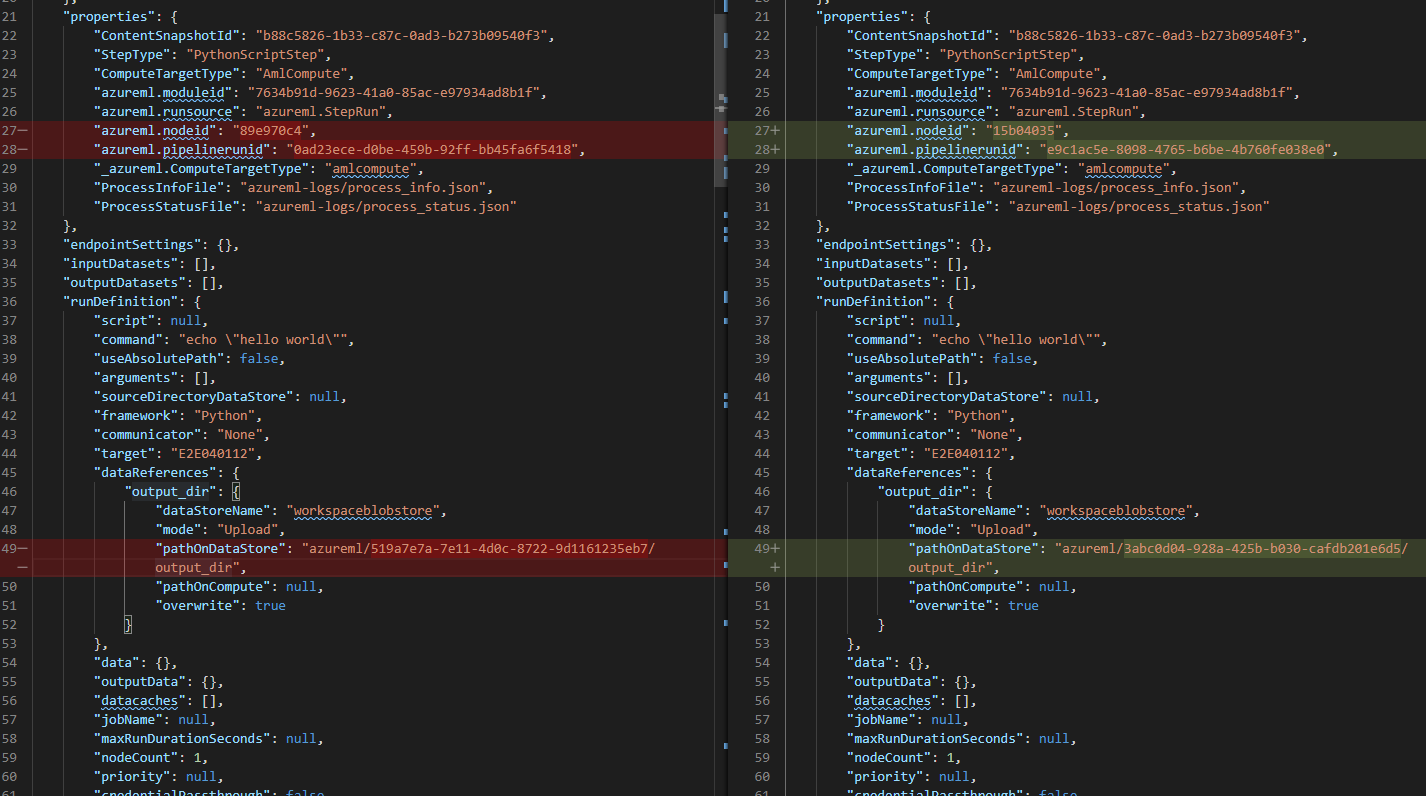
You may find all component reused related fields in properties JSON.
So the easiest way to debug why component runs not reusing is to copy the all properties JSON of in to a text editor and compare them.
Note: sometimes backend change may change the default value of some run settings, which will cause reuse to break. Rerun the job one more time, you will get the reuse working.
Force component rerun
There are 2 ways to force component rerun instead of reusing previous outputs.
You can set is_deterministic=False in component interface level or regenerate_outputs=True in component run level.
Setting any of the 2 will force component rerun.
Component interface level
Set is_deterministic=False in component yaml, the specific component will always rerun. Reference here for more information.
Component run level
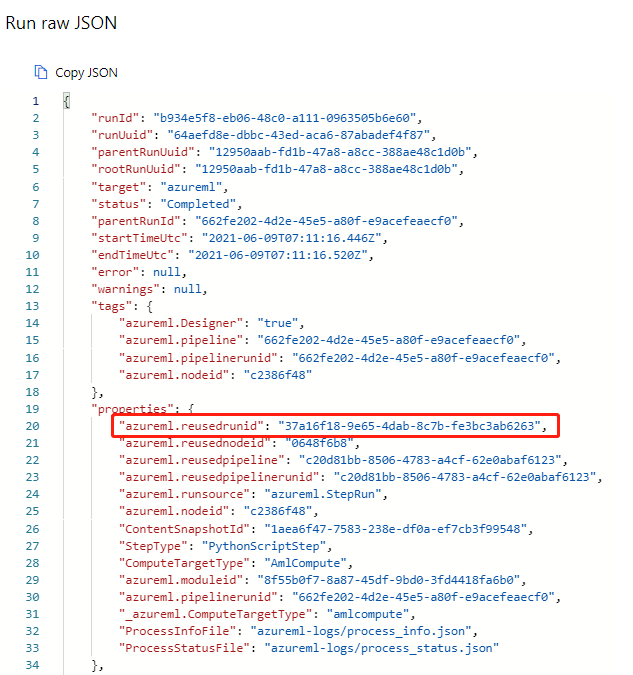
Find reused run id in UX
You can find the reused run id in the properties JSON of the component.