Contributing
This Component SDK reference doc site is mainly contributed by the Component SDK team. But partner teams and end-users are very encouraged to contribute and enrich this doc site.
Create a pull request to this reference doc site
There are two options for creating a pull request to this reference doc website:
Online:
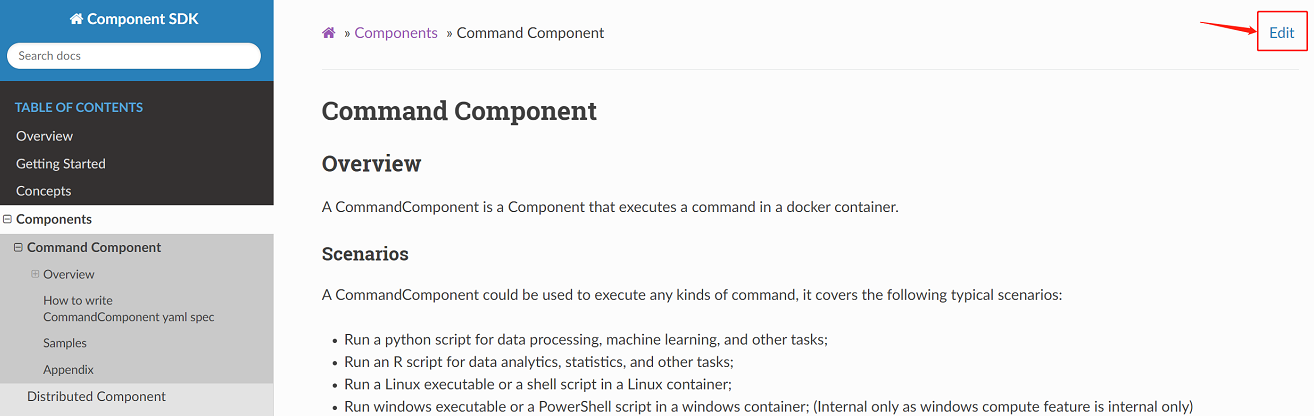
On the content web page that you want to modify, click the
"Edit"icon on the top-right corner, which will lead you directly to the source code of the current doc.
On the top-right of the source page, click
"Edit". Then, edit this file in the browser. Please note you can leverage the"Preview"feature to preview your change on markdown doc files.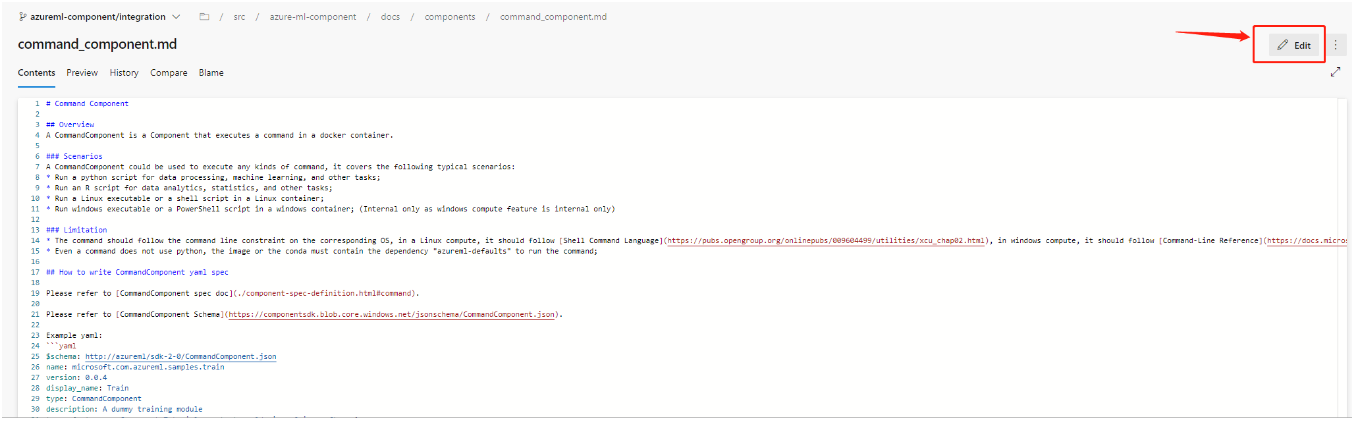
After finished editing, create a new branch to commit your changes. And you must create a pull request to merge the change back to
azureml-component/integrationbranch, which is required by branch policies.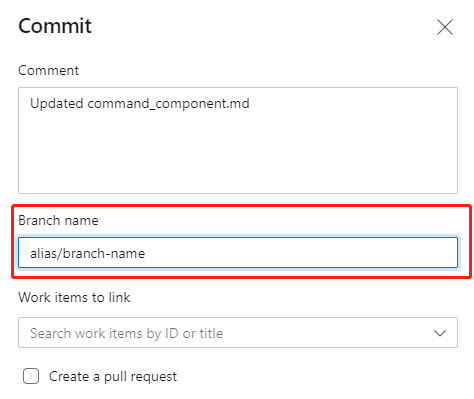
Go through the review process. Component SDK Team will help on the review.
Locally:
Git clone this repo:
git clone https://msdata.visualstudio.com/DefaultCollection/Vienna/_git/AzureMlCli.Create your own branch based on
azureml-component/integrationto update the contents.git pull origin azureml-component/integrationto pull the latest change.The document content is under the folder of
src/azure-ml-component/docs. Update existing content or add new content within this folder.Commit your change, and pull request to branch
azureml-component/integration.
Preview your changes
After your PR merge, a website building pipeline for test purpose will be automatically triggered, it will take about 10 min to complete the build, then, you should be able to see your changes on: https://aka.ms/azure-ml-component-reference-ci.
Then, your changes will land on the official website: https://aka.ms/azure-ml-component-reference with the SDK release cadence, you don’t need to take any actions here.