Compile @dsl.command_component decorated function code as yaml
Overview
We support compile @dsl.command_component decorated function code as component yaml spec, so user can use existing CLI az ml component create to create the component in workspace or registry.
We support
az-ml compileCLI command.We support
compileSDK interface:from azure.ml.component.dsl import compile.
CLI Experience
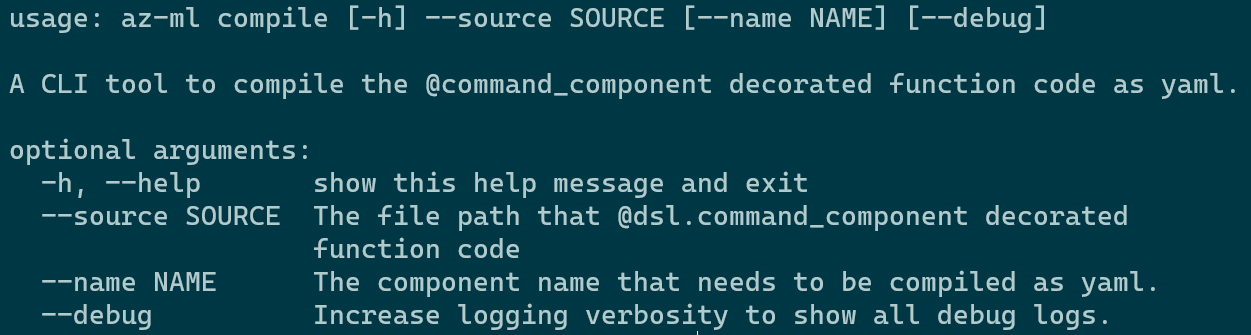
Parameter
source: This is a required parameter, A file path, which must end in “.py”, it is@dsl.command_componentdecorated function code.format:
--source ./component.py,--source ./*.py.
Parameter
name: This is a optional parameter, It is the component name(default to be same as function name) that by@dsl.command_componentdecorated.Output results: Generate component_name.yaml under the same directory as source.
CLI Sample
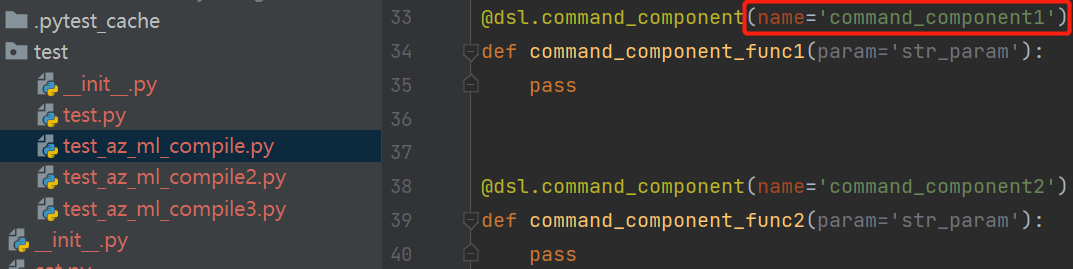
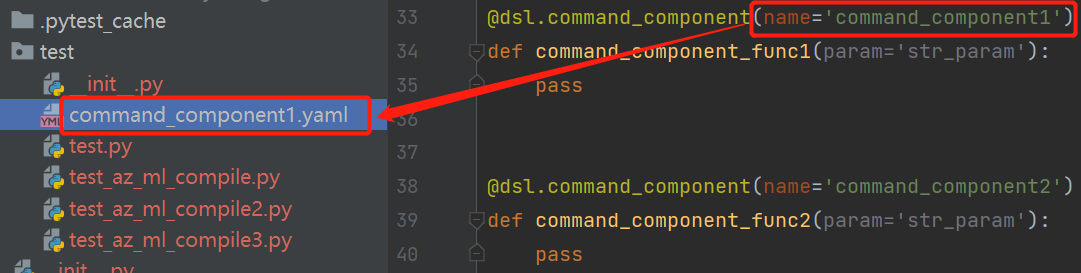
az-ml compile --source .\test\test_az_ml_compile.py --name command_component1
The command will compile a component function that name is command_component_func1 as yaml.
Code:
Output:
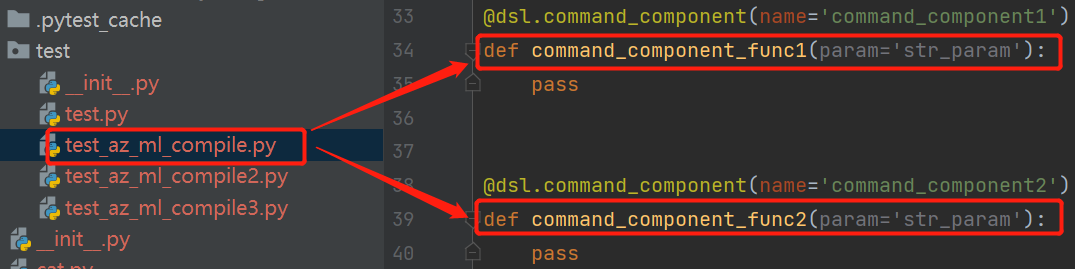
az-ml compile --source .\test\test_az_ml_compile.py
The command will compile all component function in test_az_ml_compile.py as yaml.
Code:
Output:
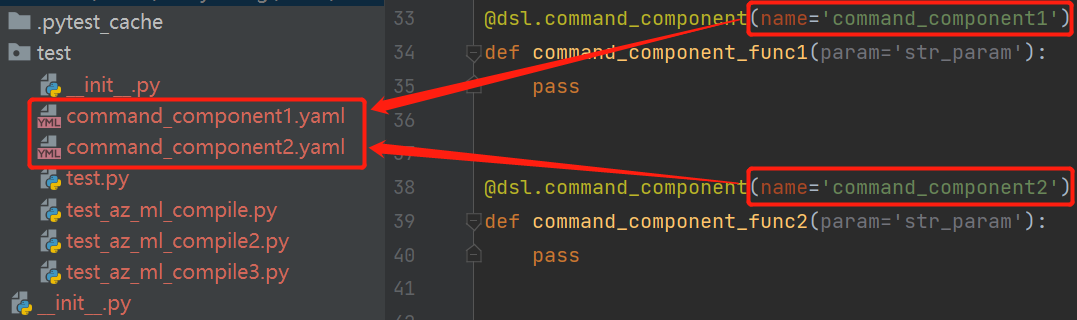
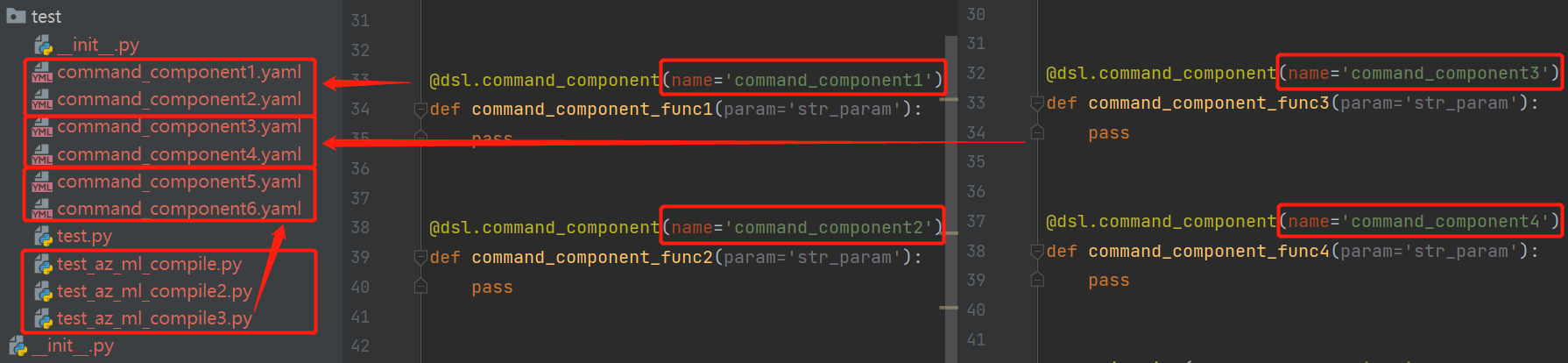
az-ml compile --source .\test\*.py
The command will compile all component function in all python file under folder test as yaml.
Code:

Output:
SDK Experience
from azure.ml.component.dsl import compile
from test.test_az_ml_compile import command_component_func1

compile(source=command_component_func1)
compile(source='./test/test_az_ml_compile.py', name='command_component1')
compile(source='./test/test_az_ml_compile.py')
compile(source='./test/*.py')
Parameter
source: This is a required parameter, A file path like compile command--sourceor A component functionParameter
name: This is a optional parameter, It is the component function name that by@dsl.command_componentdecorated.Output results: Generate component_name.yaml under the same directory as source.