Export existing pipeline to code
Overview
Instead of constructing your pipeline from scratch, you could try to use our advanced feature export-to-code in Azure Machine Learning designer.
With this feature, you can export your existing pipeline drafts, pipeline runs, pipeline endpoints and published pipelines to pure component sdk codes in both python or jupyter notebook format. The exported codes will fully restore your pipeline’s functionality, structure and configuration, you can continue to iterate your pipelines from there.
[Command line] Export existing pipeline to code
Supported scenarios
export pipeline run
export pipeline draft
export pipeline endpoint
export published pipeline
Sample
Copy url of an existing pipeline run.
Run
az-ml export --url COPIED_URLto export the pipeline to code.Get all components’ snapshot along with the graph, run
az-ml export --url COPIED_URL --include-components "*"Get some components’ snapshot, run
az-ml export --url COPIED_URL --include-components "azureml:train:0.1,azureml:anonymous-component-guid"Export to specific path, run with
--path, by default we will export a folder with pipeline run/draft/endpoint name in current directory.When same pipeline got exported multiple times, new folder with auto incremental suffix will be created.
Specify
--debugto get more debug info.
The generated code structure looks like this:
.azuremlfolder: the workspace used in current pipeline.componentsfolder: all components(and snapshots) used in current pipeline.pipelines/subgraphsfolder: all sub graphs used in current pipeline.pipelines/xx.pyfile: the root pipeline.run.pyfile: entry to run current pipeline.
Resubmit the generated code, run
python run.pyinside the generated folder.Validate the generated code, run
python run.py -vinside the generated folder.
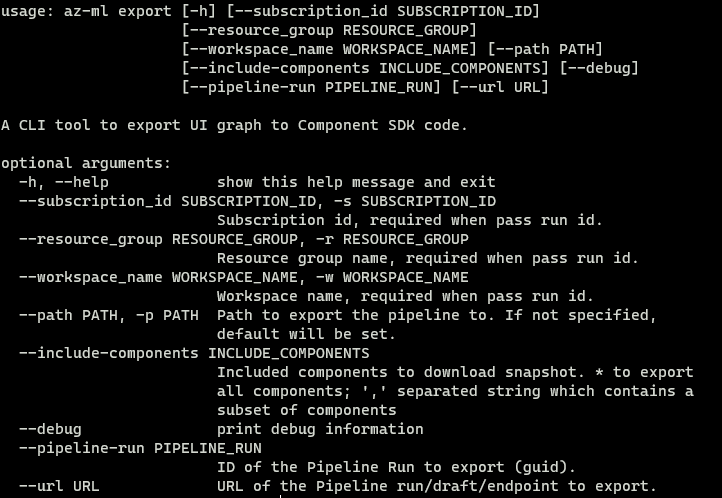
All command line options to generate code:
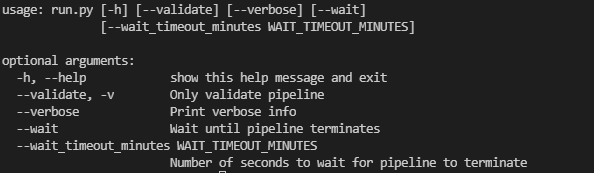
All command line options for the generated entry script:
Limitations
Currently command line graph to code has some limitations:
Pipeline parameter as runsetting parameter is not supported. Using pipeline parameter as runsetting is only supported in submission time, the submitted graph do not have the mapping information to connect runsetting and pipeline parameters. The runsettings linked with pipeline parameter will be replaced to literal value when exporting graph.
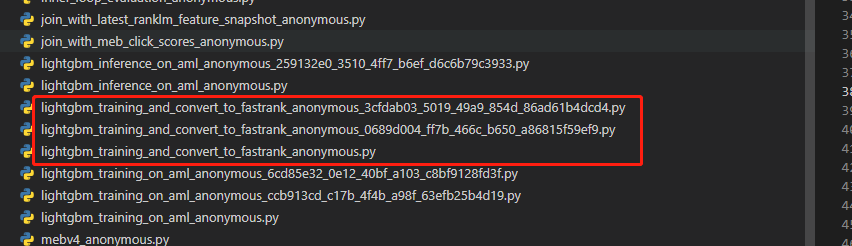
Sub pipelines created from same definition might be exported multiple times. This is also a submission time issue, currently SDK may register same sub graph multiple times and get multiple sub graph instance for same sub graph definition. Exporting a graph with multiple same sub pipelines will give each sub pipeline a unique name like this:
[Portal UX]Export existing pipeline to code (deprecated)
Supported scenarios
We will not export the configurations which were configured by the default value in order to make the export codes clean.
export pipeline draft
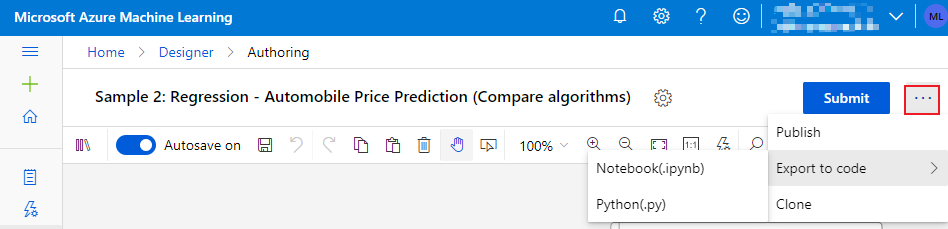
export pipeline run
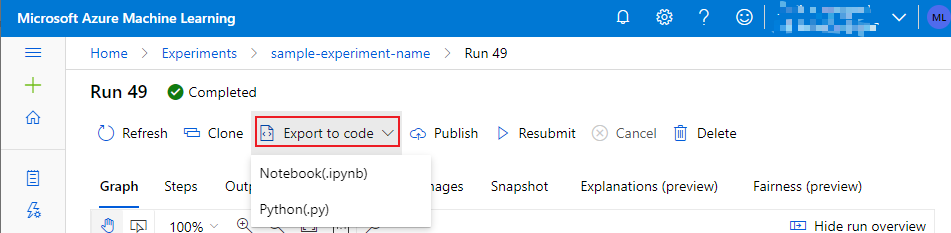
export pipeline endpoint
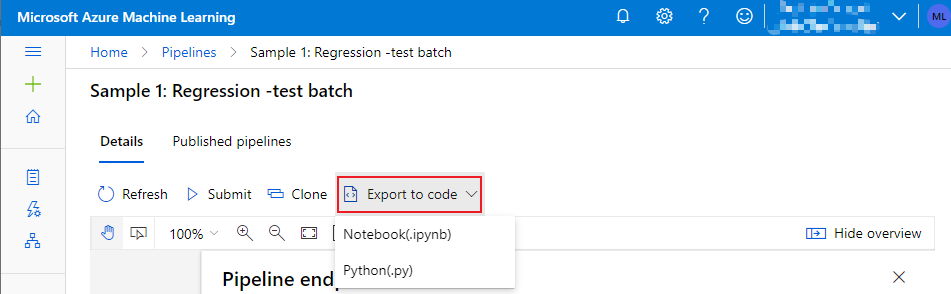
export published pipelines
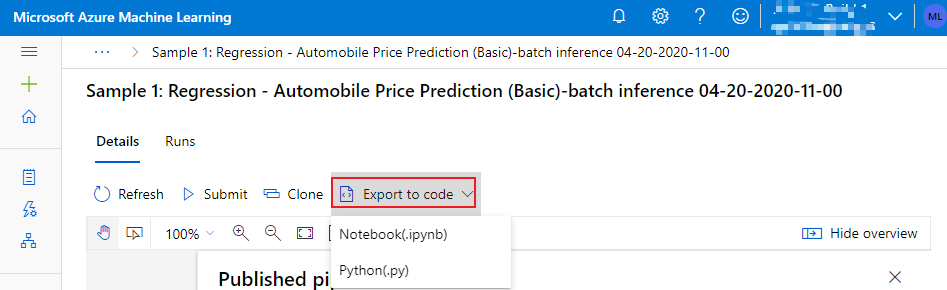
Sample
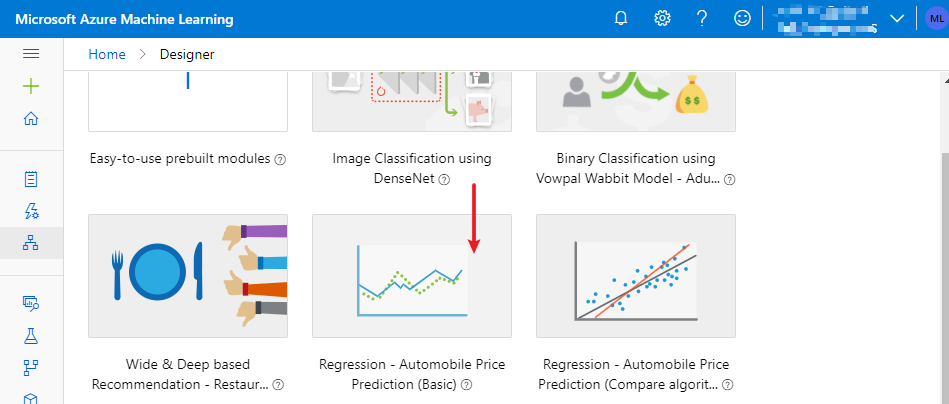
Let’s take the sample pipeline draft ‘Regression - Automobile Price Prediction (Basic)’ as an example to see what are the exported codes.
Create the sample pipeline draft from designer portal.
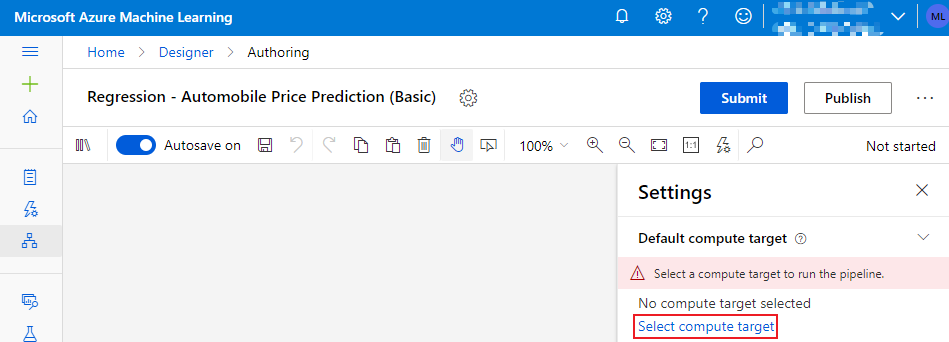
Configure compute target for the draft.
if you don’t configure compute target here, the exported codes will also have no compute target configured, you will have to configure it with sdk code manually
Export the draft in python format
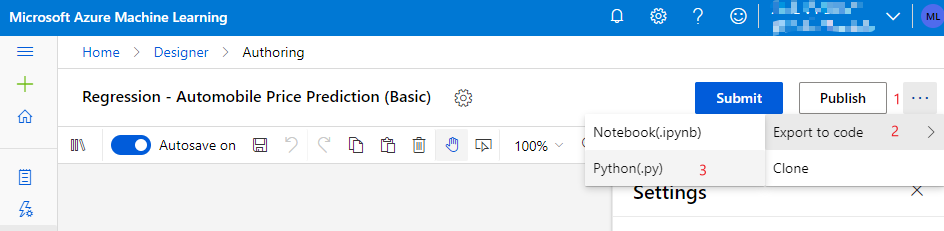
After click the button, the exported codes will be automatically downloaded to your local machine as a zip file, named by the draft’s name.

Extract the zip file, you will see:

__int__.py(only applies for python format export)This file makes the exported codes as a package and your pipelines as separate python module, so that you can import your pipelines as python module outside.
config.jsonThis file configures your workspace.
regression_automobile_price_prediction_basic.pyThis file contains the sdk codes of your pipeline.
If you are exporting the pipeline in notebook format, you will get
regression_automobile_price_prediction_basic.ipynbinstead.If your pipeline consist of multiple subpipelines and was saved/submitted using component sdk, your subpipelines will also be exported as separated python files.

Note
The
export-to-codefeature is in preview stage and only available in Microsoft internal subscription.